
A casual first report from an AI-assisted porting experiment: taking a game already shipped on PC, Mac, Xbox and Nintendo, then seeing how far Claude Code can push an iOS build before I actually have to understand what is happening.
Hoomanz is already out in the wild on PC, Mac and Xbox. We have also finished the Nintendo port, and while the PlayStation version is currently in progress, I decided to run a separate little experiment: can I use Unreal plus Claude AI to get a proper iOS version moving without turning it into a giant production detour?
This is not a polished post-mortem. It is more like a devlog from the trenches: what worked, what broke, where AI was surprisingly useful, and where it confidently invented a solution until I pushed it back toward the code we already had.
Why iOS now?
Mostly curiosity. Also because platform work is one of those areas where AI should be useful: lots of configuration, logs, certificates, build flags, obscure engine paths, and not much glamour.
The starting point was our Nintendo branch. That already made sense because a lot of the hard optimisation thinking had happened there: constrained hardware, controller-first input, forward/mobile-friendly rendering assumptions, disabled Nanite, sensible texture budgets and all the usual porting housekeeping. iOS is not the same target, of course, but it is much closer to that world than to the PC build.
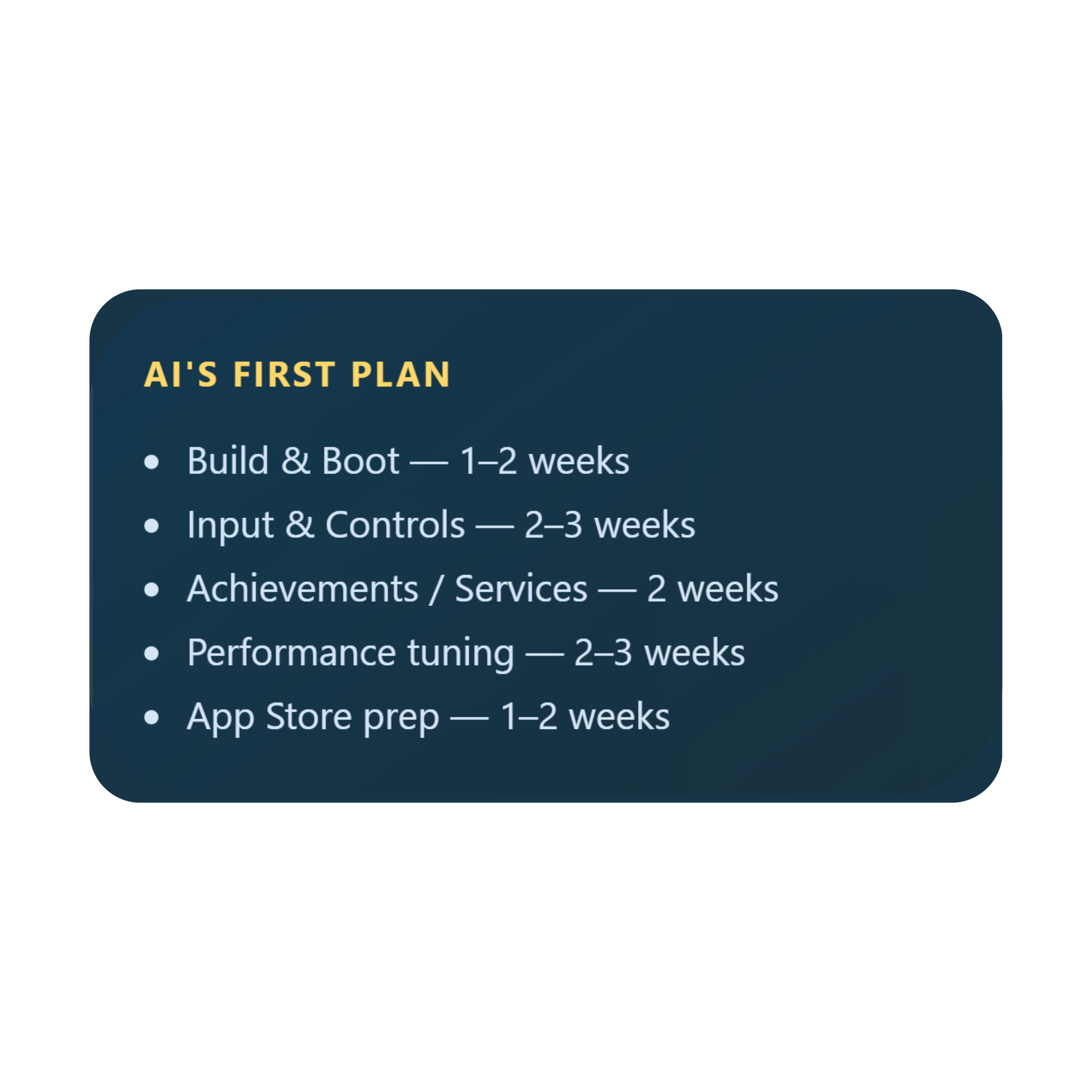
I asked Claude to estimate and plan the port before touching the project. It split the work into five phases: build and boot, input and controls, achievements and services, performance tuning, and App Store prep. That felt reasonable enough, so I cloned the Nintendo branch and started with the least romantic phase of all: getting an iOS build to actually exist.
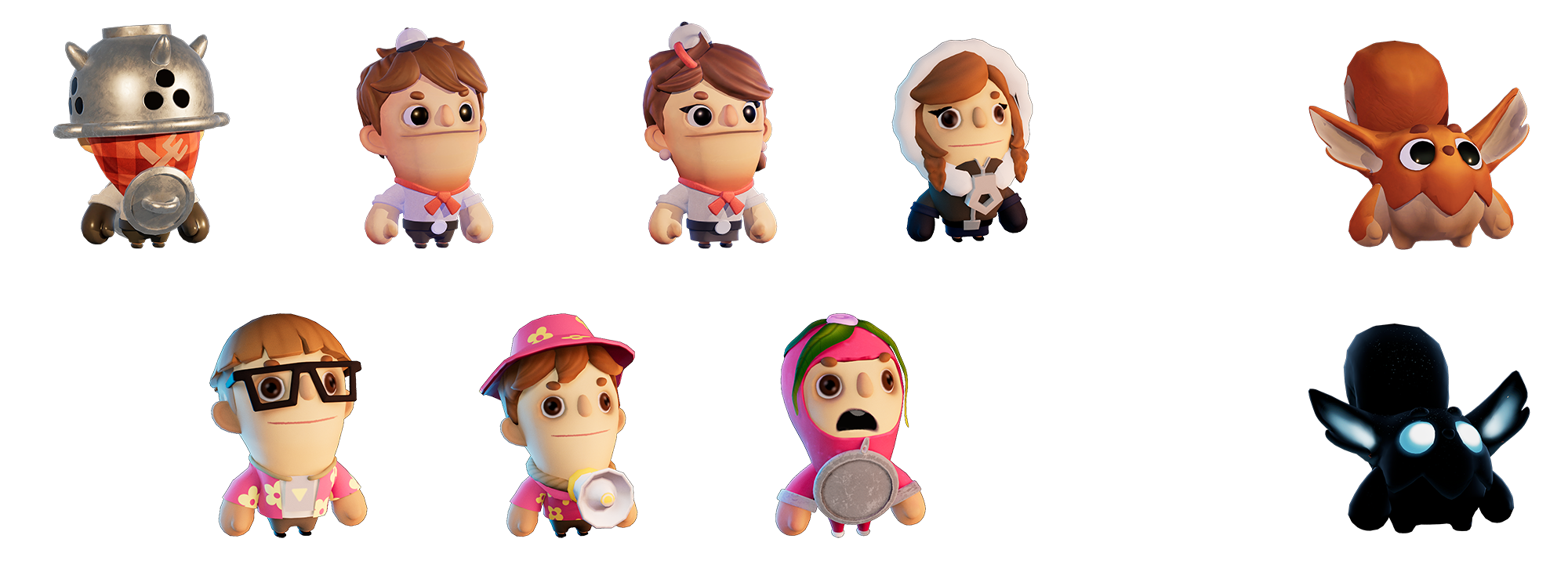
The friendly version of Hoomanz. The build system version was much less friendly.
Phase 1: Build, Boot, Sign, Repeat
I have dealt with Apple signing before, so I expected the usual ceremony: certificates, provisioning profiles, bundle identifiers, app setup, device registration, Xcode settings, Unreal
settings, then a few rounds of wondering which exact combination of things is currently lying to me.
This time Claude Code handled most of that automatically. It was genuinely useful here because it could read the project files, inspect the Unreal config, explain what each signing setting meant, and update the right places instead of just giving me a generic checklist from the internet.
“The surprisingly good part was not that AI knew Apple signing exists. The useful part was that it could follow the thread across Unreal config, Xcode project files, provisioning profiles and build logs without losing context every five minutes.”
The project ended up targeting iOS 16.0, with a Shipping ARM64 build, Metal enabled, iPhone support enabled, and a separate development versus distribution signing setup. For mobile we also adjusted the Unreal side: mobile rendering settings, audio compression, post-processing choices, virtual textures, anti-aliasing and a few precision-related settings that became important later.
First build: crash, remove video, actual game
After the initial setup, I moved through the usual plugin, audio and video issues. “I moved through” is doing a lot of work in that sentence. Claude did most of the heavy lifting, I reviewed the changes, then plugged in an iPhone and tried the work-in-progress build.
It crashed instantly.
The first problem was the intro video. The format was wrong for the device path, and since this was only a WIP build, the easiest fix was to remove splash videos for now. There was no need to make the first test build precious. Rebuild, deploy, run again.
And then the game launched. First time in-game on iPhone. Not finished, not pretty, not playable in the final sense, but alive.
Then the Build Stopped Building
After two or three successful attempts, the game suddenly stopped compiling. Not with a dramatic crash. Not with a helpful error. It just hung. The kind of hang where you slowly start questioning your career choices.
This was the step I probably would not have solved quickly on my own. Or, more honestly, it would have taken me days of poking through build logs, killing processes, trying random Xcode options and eventually discovering the real problem somewhere deep in the tooling chain.
The culprit was actool, Apple’s asset catalog compiler. Under Xcode 26, when called from the Unreal build pipeline rather than a normal IDE session, it could deadlock with helper processes like ibtoold and AssetCatalogSimulatorAgent. The build looked like it was still working, but it was actually stuck waiting on IPC that never arrived.
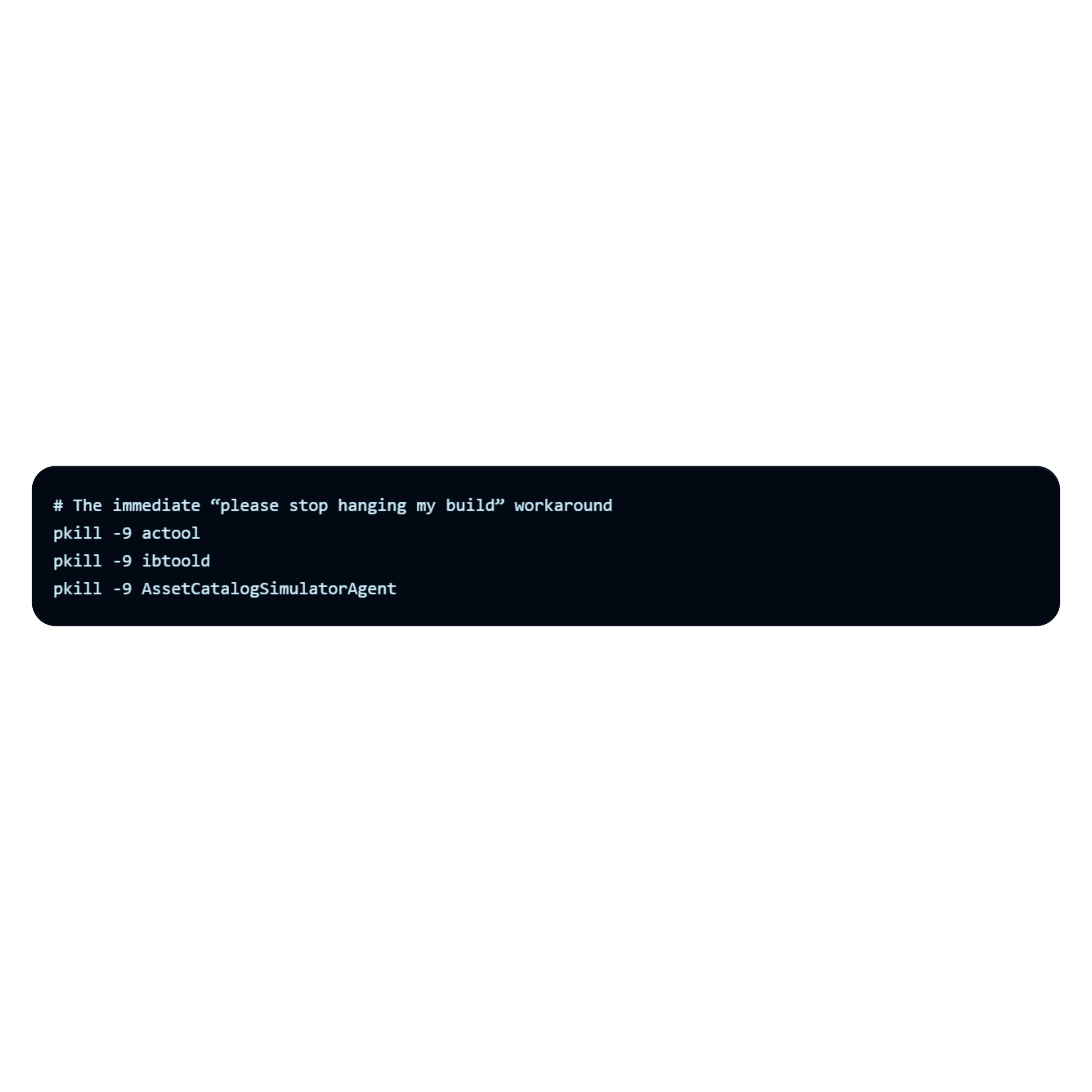
The moment I suggested upgrading Unreal
This is where I suggested maybe we should just upgrade Unreal to a newer version. It felt like the “clean” option for about five seconds. Claude pushed back hard, and honestly, it was probably right.
“The actool hang is solvable without upgrading. It’s caused by xcodebuild’s build system IPC deadlocking with actool under Xcode 26. The fix is to pre-compile the asset catalog manually and bypass xcodebuild’s asset catalog phase. That’s a 10-minute workaround, not a week-long engine migration.”
II enjoyed being told off by the machine. More importantly, the point was valid: don’t turn one broken tool invocation into an engine migration unless you absolutely have to.
The proper workaround was more interesting. Claude found the direct xcrun actool calls inside Unreal’s iOS toolchain code, patched the relevant UnrealBuildTool files, rebuilt UBT, and deployed the rebuilt DLL to both locations Unreal actually uses. That last bit matters: UAT loads one copy from the AutomationTool path, not necessarily the one you just rebuilt in the obvious UnrealBuildTool folder.
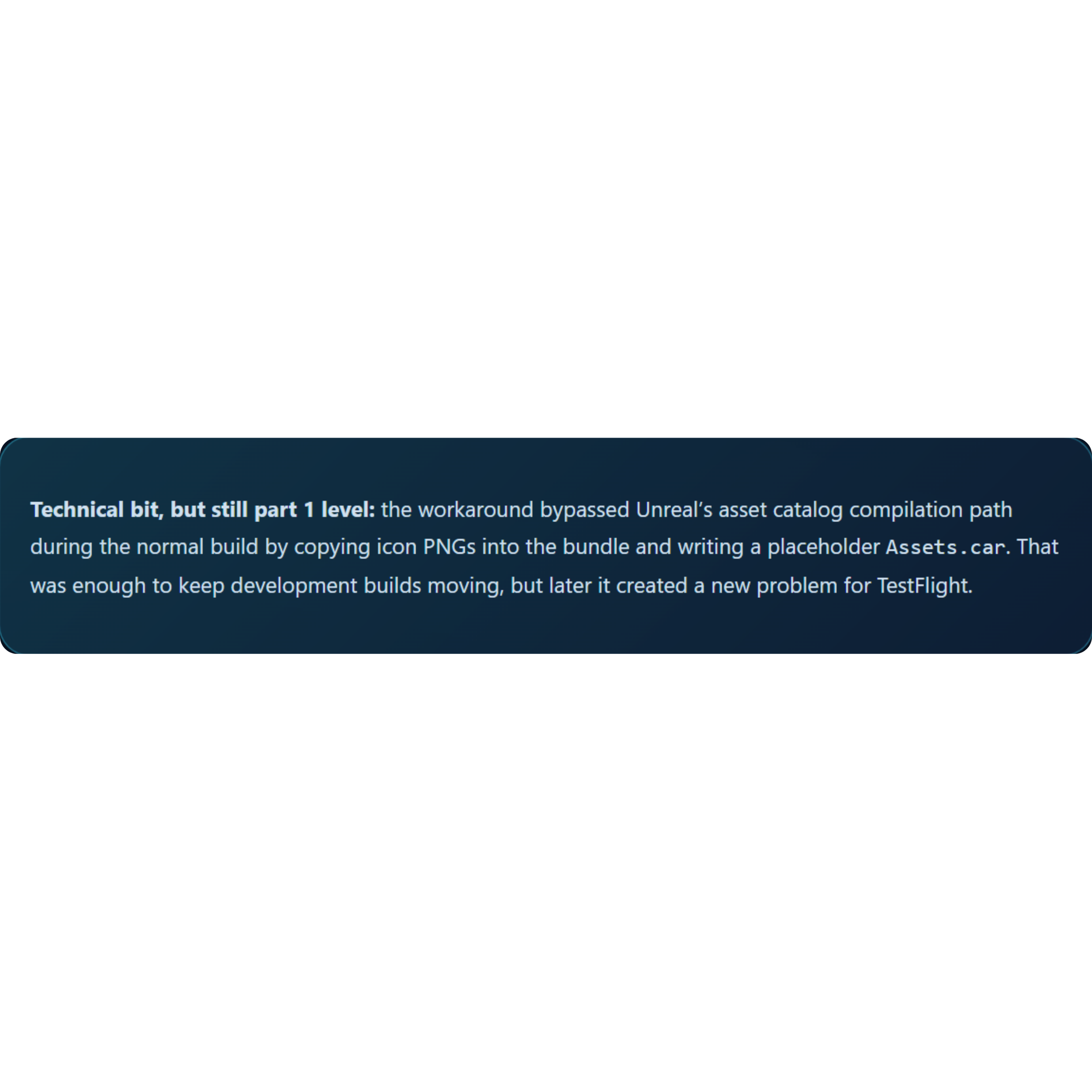
That is exactly the sort of fix where AI assistance shines. Not creative game design. Not taste. A deep, boring maze of toolchain behaviour, duplicated binaries, signing state, generated folders and silent failure modes.
Phase 2: the game expected a gamepad, the phone disagreed
Because the starting point was the Nintendo branch, the game naturally expected gamepad input. That meant the first playable iOS build was technically running, but not really controllable in the way a phone game needs to be.
I asked Claude to prepare a mobile input layer: a virtual joystick and four action buttons.
This was the first area where I could not just leave everything to AI.
I know enough Unreal to connect systems and understand what is suspicious, but I am not an Unreal developer day-to-day. Claude prepared the C++/Blueprint setup and then walked me step by step through wiring it into the project.
Touch controls in place: joystick on the left, actions on the right. The grass problem is also very visible here.
The implementation uses a mobile input widget that tracks touch start, movement and release, turns that into a normalised movement vector, and shows a joystick thumb clamped within a maximum radius. On the player controller side, the game can switch input mapping contexts based on state: gameplay, cutscene, menu and so on. In gameplay, the mobile widget appears. During cutscenes, it hides.
It was not magic, but it was fast. The difference was that I did not need to start from a blank page, search documentation, remember exact Unreal method names, and then debug ten syntax mistakes before even testing the idea. AI made the boring first draft, and I focused on whether it actually fitted our game.
The skip button that taught AI to reuse existing code
While testing, I wanted a skip button for the intro cutscene. The game already supported skipping, but it required a keyboard/controller button. That is annoying when you are deploying to a phone repeatedly and just want to get back into gameplay quickly.
I asked Claude to add an on-screen skip button. It produced code, UI steps and Blueprint wiring instructions. It looked plausible. It even sort of matched the shape of what I needed.
But it did not work properly.
After a few prompt exchanges, I noticed what had happened: Claude had created a new path for skipping instead of using the existing skip flow already present in the codebase. That meant it removed the cutscene UI, but did not restore all the game state exactly the way the original controller input path did. The joystick could disappear, input mapping could get confused, and the player controller state could end up half-restored.
“The lesson was simple: don’t ask AI only to “make a skip button.” Ask it to find the existing skip behaviour, explain the flow, and hook the mobile button into that same path.”
Once I pointed that out, the solution appeared quickly. The C++ function only needed to call into the Blueprint event and remove the widget. The Blueprint flow stayed responsible for stopping media, switching mapping contexts and restoring gameplay state. Much cleaner.
The Grass Bug: Describing Visuals Badly Is Expensive
The next issue was visual. The grass on the device did not look like the editor or the other versions. I tried explaining it in words: wrong colour, too bright, different from editor. Claude suggested a lot of potential fixes. We spent too much time on paths that did not help: hardware sRGB encoding, float precision, texture compression settings, full recooks, shading model checks.
Then I had a very obvious idea very late: what if I just show the screenshot?
Device: the grass is clearly wrong, shifting toward bright cyan.
Editor: darker, moodier and much closer to the intended look.
Once Claude could actually see the device screenshot, it quickly narrowed the issue down. I did feel slightly told off again, because the visual evidence made the problem obvious in a way my text descriptions had not.
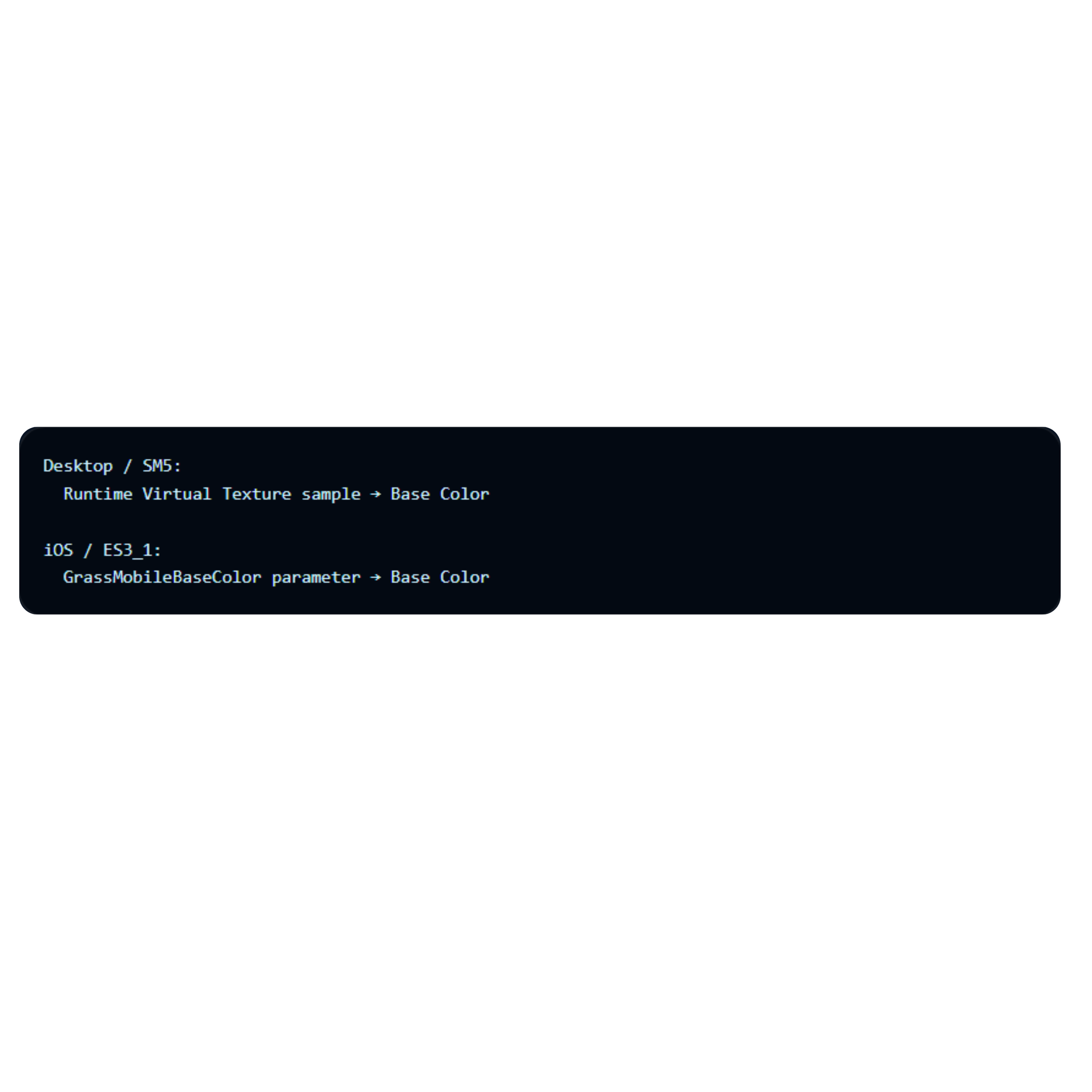
The root cause was the grass material reading its base colour from a Runtime Virtual Texture sample. On desktop, that is a nice setup: the grass can automatically match the terrain colour underneath. On iOS, the landscape was not populating the RVT correctly, so the material fell back to a default/empty RVT sample, which produced the cyan-looking result.
The fix was a mobile-specific branch in the material: keep the RVT path for desktop, but use a direct colour parameter on ES3_1/iOS. That gives us stable, predictable grass on device without changing the desktop look.
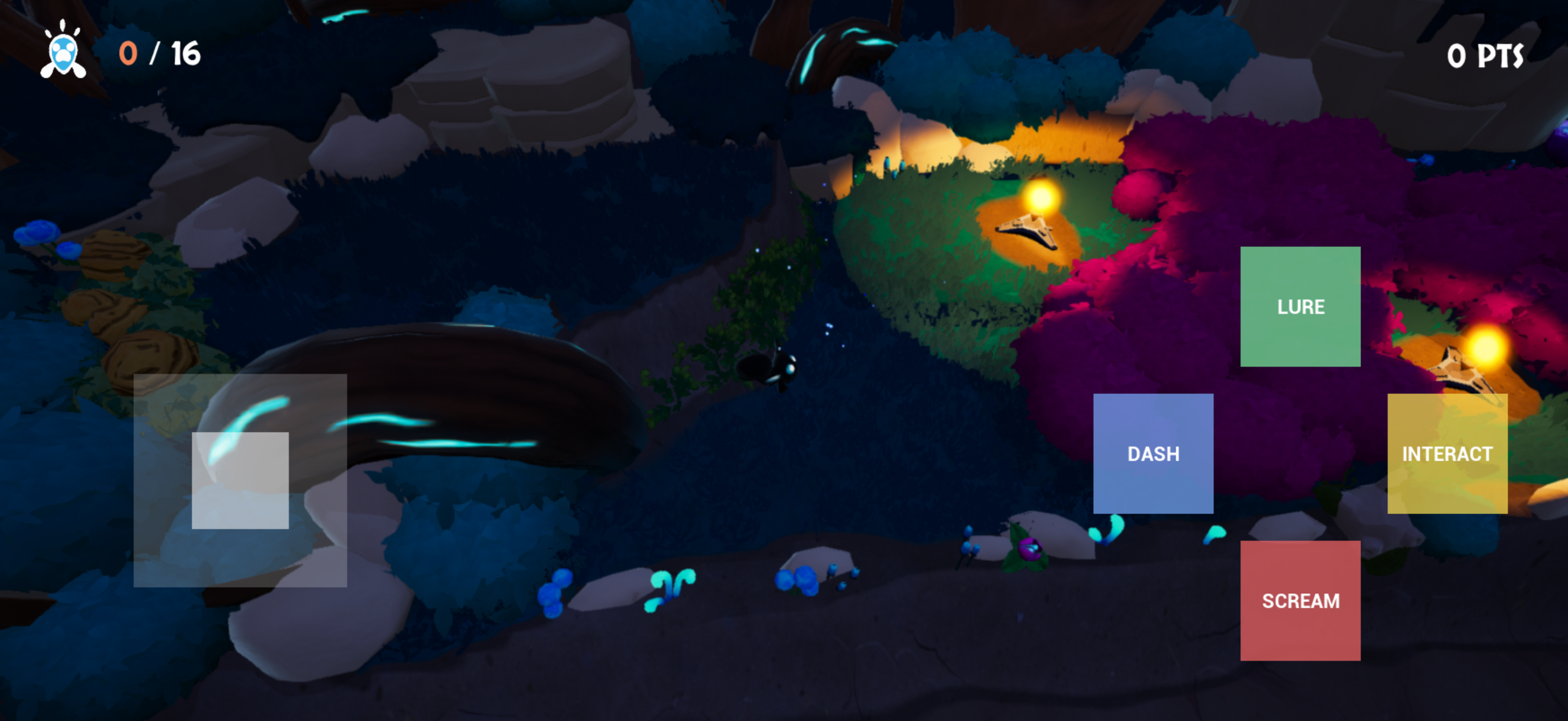
After the mobile material branch: much closer to the intended mood, and good enough to continue into the next phases.
Another Wall: Distribution Profiles and TestFlight
At this point I honestly thought everything important was done. The game was booting on device, controls were working, visuals were finally looking correct and I felt confident enough to share a build internally with the team.
That confidence lasted right until I started preparing the TestFlight build.
This became another reminder that platform porting is often less about gameplay code and more about surviving platform tooling. The build itself was fine, but distribution signing, provisioning alignment, entitlements and App Store validation rules became another rabbit hole.
The especially confusing part was that the game could successfully deploy to device using development signing, while the exact same pipeline would fail for distribution/TestFlight submission with completely different errors.
Claude ended up being incredibly useful here because it could trace signing configuration across Unreal config files, generated Xcode files, entitlements, provisioning profiles and the final IPA contents all at once.
The biggest issue turned out to be related to the temporary actool workaround. Because the build pipeline bypassed proper asset catalog compilation, TestFlight validation rejected the build due to missing required icon assets inside Assets.car, even though the PNG icon files physically existed inside the app bundle.
“This is exactly the kind of issue I probably would have spent days debugging manually.”
AI identified the root cause, prepared a standalone actool compilation workflow outside the Unreal build pipeline, rebuilt the asset catalog manually, re-signed the IPA with the correct distribution entitlements and finally produced a TestFlight-valid package.
That was probably the moment where the experiment became really convincing to me.
Not because AI magically made the game, but because it handled an extremely technical, platform-specific tooling issue that normally burns huge amounts of development time.
So Where Are We Now?
At this point, Phase 1 is basically complete: the project builds, signs, deploys to a physical iPhone, and we have a working path toward TestFlight. Phase 2 is in progress: touch controls exist, cutscene skipping works, and the main gameplay loop is testable on-device.
The biggest takeaway so far is not “AI can port a game by itself.” It can’t, and I would not trust it that way. The useful version is more practical: AI can dramatically reduce the time spent on setup, toolchain debugging, boilerplate implementation and explaining unfamiliar engine/platform behaviour. But it still needs direction, screenshots, context and someone who can say: no, don’t invent a new system, use the one we already have.
Next phases for Part 2
I want to finish the remaining mobile UI work, look at menu navigation, start proper performance profiling, and eventually move into iOS-native features like Game Center, achievements, leaderboards, sharing and TestFlight polish.